
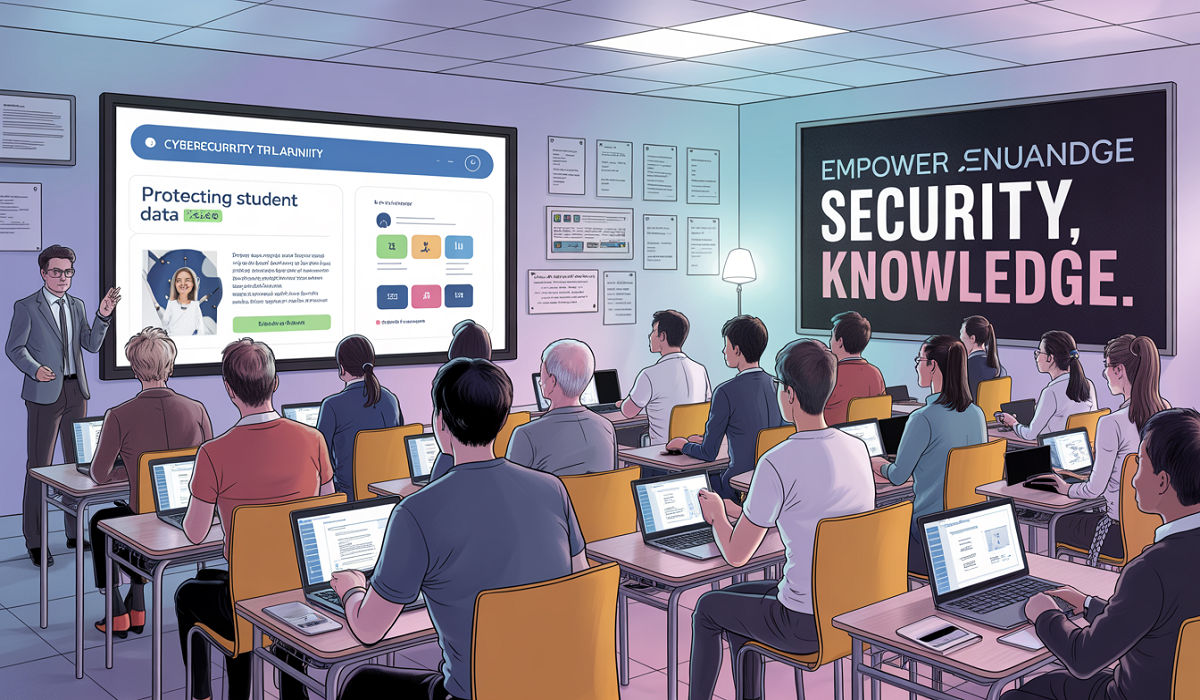
Cybersecurity training for school it staff 2026
Cybersecurity training for school it staff 2026: Imagine you are a hacker. You want to steal information or cause trouble. Where do you attack? A big bank? A government office? Or a school?
Many people think schools are safe. But here is the truth: schools are actually a top target for cybercriminals. Why? Because schools have lots of private data about students and parents. They also have many people using the network—teachers, students, visitors, and staff. And not everyone knows how to spot a fake email or a bad link.
In 2026, the problem is getting worse. Hackers now use smart tools like artificial intelligence (AI) to break into systems. They send fake messages that look exactly like real ones from the principal or the school district. They even trick IT staff into giving away passwords.
That is why cybersecurity training for school IT staff 2026 is no longer a “nice to have.” It is a must-have. This training helps the people who run the school’s computers, servers, and Wi-Fi learn how to fight back against modern hackers.
In this article, we will walk through everything you need to know. We will use easy words, real examples, and practical tips. No confusing tech talk. Just clear help for school IT teams.
What Has Changed in Cybersecurity by 2026?
Hackers Use AI Too
Back in 2020, most hackers sent emails with bad spelling and weird links. You could easily spot them. But in 2026, hackers use AI to write perfect emails. These emails sound just like your superintendent. They might say, “Please click this link to approve the new budget.” And when you click? A virus takes over.
More Devices on School Networks
Every student now has a laptop or tablet. Teachers use smartboards. The front office uses tablets for attendance. Even the cafeteria uses computers to track lunch payments. Every single one of these devices is a possible door for a hacker.
Ransomware is Smarter
Ransomware is a type of virus that locks all your files. Then the hacker says: “Pay me money, or you lose everything.” In 2026, ransomware does not just lock files. It also steals them and threatens to post student grades, addresses, or medical info online unless you pay.
Laws Are Stricter
Governments now fine schools if they lose student data. In many places, the fine can be thousands of dollars per student. That means one data breach could cost a school district more than a new gymnasium.
Key takeaway: The old ways of protecting a school network are not enough. School IT staff need new skills. That is where cybersecurity training for school IT staff 2026 comes in.
What Does a School IT Staff Person Do?
Before we talk about training, let us understand the job of a school IT person.
A school IT staff member might:
- Set up new student laptops
- Fix a teacher’s printer
- Make sure the Wi-Fi works during online testing
- Reset a student’s forgotten password
- Block bad websites
- Install software updates
- Back up important files
But in 2026, their job also includes:
- Watching for signs of a hack
- Teaching teachers not to click bad links
- Making sure student data is encrypted (scrambled so hackers cannot read it)
- Responding fast when something goes wrong
Without good training, even a smart IT person can make a mistake. For example, they might plug in a USB drive they found in the parking lot. That USB drive could contain a virus. Or they might get a phone call from “Microsoft” saying their computer has a virus. That is a trick.
Training changes that. It gives IT staff the knowledge to pause, think, and act safely.
The Most Common Cyber Threats to Schools in 2026
Let us look at the top five threats that cybersecurity training for school IT staff 2026 must cover.
Phishing 2.0 (Super Fake Emails)
Old phishing was easy to spot. New phishing uses AI. The hacker learns how your principal talks. They copy the school logo. They even send the email at the exact time of day the principal usually sends emails. IT staff need to learn how to double-check before clicking anything, even if it looks real.
Credential Theft (Stealing Passwords)
Hackers do not always break in through a fancy hack. Sometimes, they just guess a weak password. Or they trick someone into typing a password into a fake login page. IT staff must use strong, unique passwords and also turn on multi-factor authentication (MFA). MFA means you need a password plus a code from your phone to log in.
Fake Software Updates
A pop-up appears on a teacher’s computer: “Your Adobe Reader is out of date. Click here to update.” But the pop-up is fake. Clicking it installs a virus. IT staff need to teach everyone in the school to only get updates from the official school app store or from IT directly.
Insider Threats (Accidental or on Purpose)
Sometimes, the danger comes from inside. A staff member might accidentally email a spreadsheet of student addresses to the wrong person. Or an angry former employee might try to delete files. Training helps IT staff set up permissions so people only see what they need to see.
USB Drop Attacks
A hacker leaves a USB drive in the school parking lot. Someone finds it, thinks “cool, free USB,” and plugs it into a school computer. The USB instantly installs malware. Training teaches IT staff to warn everyone: never plug in unknown USB drives.
What Should Cybersecurity Training for School IT Staff Include?
Good training in 2026 is not a one-time lecture. It is ongoing, hands-on, and easy to understand.
Spotting Modern Phishing
Trainees practice with real examples of fake emails. They learn to look at the sender’s full email address, hover over links before clicking, and never share passwords via email.
Secure Configuration
IT staff learn how to set up new computers and servers safely. This means turning off unnecessary services, changing default passwords, and enabling firewalls.
Incident Response Drills
Just like a fire drill, schools need cyber drills. IT staff practice what to do if a ransomware attack happens. Who do they call first? Do they unplug the network? Do they restore from backup? Drills make the real event less scary.
Data Privacy Laws
Training covers the basics of laws like FERPA (in the US) or GDPR (in Europe). IT staff learn that student data is special. It cannot be stored on a personal laptop or shared without permission.
Password Management
IT staff learn to use password managers (apps that remember strong passwords for you). They also learn to enforce password rules for everyone else, like no using “password123” or “qwerty.”
Basic Home Network Security
Many IT staff also work from home sometimes. Training shows them how to secure their home Wi-Fi, update their router, and separate work devices from family devices.
How to Build a Cybersecurity Training Program for IT Staff? (Step by Step)
A school district can start small and grow. Here is a plan.
Step 1: Assess Current Skills
Give a simple quiz to IT staff. Do they know what phishing looks like?, do they use MFA? Do they know the procedure for a lost laptop? The quiz shows where training is needed most.
Step 2: Find the Right Training Provider
Look for online courses or local workshops that focus on education. Some good sources include:
- The K12 Security Information Exchange
- State educational technology centers
- Online platforms like Coursera or Udemy, but choose K12-specific courses
Step 3: Make Training Monthly, Not Yearly
A one-day workshop is quickly forgotten. Instead, do 20-minute training sessions each month. Cover one topic, then practice it.
Step 4: Use Real School Scenarios
Do not teach generic corporate cybersecurity. Use examples from schools:
- “The principal got an email asking for all W-2 forms. What do you do?”
- “A student claims they hacked the grade system. How do you verify?”
Step 5: Test with Fake Attacks
IT security companies offer a service where they send fake phishing emails to your staff. If someone clicks, they get a gentle reminder. This is safe practice.
Step 6: Reward Good Behavior
When an IT staff member spots a real phishing attempt or reports a suspicious USB drive, celebrate it. Give a gift card or public recognition. This encourages everyone to stay alert.
Step 7: Update Training Every Six Months
Hackers change their methods fast. What worked in January 2026 might be old news by July. Keep the training fresh.
Real-Life Example – How One School Stopped a Hack?
Let me tell you a story. It is based on real events, but I changed the names.
School: Lincoln Middle School (fictional name)
The Situation: One Tuesday morning, the IT director, Maria, got an email. It looked like it came from the superintendent. The email said: “Maria, please review the attached budget file and approve. Urgent.”
Maria had just finished cybersecurity training for school IT staff 2026 the week before. In that training, she learned to check three things:
- The sender’s email address – not just the name.
- The attachment name – was it a .pdf or something suspicious like .exe?
- Is the superintendent asking something unusual?
Maria hovered her mouse over the sender’s name. The real email address was: [email protected] but the fake was [email protected] (using a zero instead of an o).
She did not click the attachment. Instead, she called the superintendent’s office. “Did you send me a budget file?” The superintendent said no.
Maria then reported the email to the district’s security team. They blocked the fake sender. Because she acted fast, no virus got in. The school saved thousands of dollars and kept student data safe.
This is why training works.
No-Cost and Low-Cost Ways to Improve Cybersecurity
Not every school has a big budget. That is okay. Here are free or cheap things IT staff can do right after training.
Use Free MFA Tools
Many services offer free multi-factor authentication. Google Authenticator and Microsoft Authenticator are free. Turn them on for all IT staff accounts.
Update Everything
Old software has holes that hackers use. Set up automatic updates for operating systems, web browsers, and antivirus.
Back Up to Two Places
Keep one backup in the cloud and one offline (like an external hard drive that is not connected to the network). If ransomware hits, you wipe the computers and restore from the offline backup.
Make a Simple “Who to Call” List
Write down the phone numbers of your IT manager, your security contact, and your legal advisor. Tape it to the wall of the server room. When a hack happens, people panic. A list helps.
Run a Weekly Log Check
Most school networks keep logs (records of who logged in and when). Spend 15 minutes each Monday looking at the logs. Look for logins at 3 AM or from another country. That is a red flag.
How to Talk to School Administrators About Training?
Sometimes, the hardest part is getting the principal or school board to say yes to training. They might think, “We never had a hack before, so we are fine.”
Here is how an IT staff person can convince them.
Say This:
“I know we have a tight budget. But the average ransomware attack on a school district now costs over $500,000 to fix. That includes paying experts, recovering data, and legal fines. A full year of cybersecurity training for our small IT team costs less than one new copier. It is like buying insurance. We hope we never need it, but if we do, we will be very glad we have it.”
Also Mention:
“Parents trust us with their children’s addresses, birth dates, and medical info. If we lose that trust because of a hack, families might leave the district. That hurts our funding and our reputation.”
Most school leaders will listen when you talk about money, trust, and safety.
The Future – Beyond 2026
What comes after 2026? We can already see some trends.
AI Defenders
Just as hackers use AI, defenders will use AI to spot attacks faster. Future training will include how to use AI security tools.
Zero Trust Networks
“Zero trust” means you never automatically trust any device, even if it is inside the school building. Every access request is checked. IT staff will learn how to set up zero trust.
Cybersecurity as a Class for Students
Some schools will start teaching basic cybersecurity to 8th graders. IT staff might help create those lessons. That is a good thing. The more people know, the safer everyone is.
Common Mistakes Even IT Staff Make (And How Training Fixes Them)
Even good IT people slip up. Here are common mistakes.
Mistake 1: Using the Same Password for Work and Personal Accounts
If a hacker breaks into your personal Instagram, they try that password on your work email. Fix: Use a password manager. Every account gets a different random password.
Mistake 2: Ignoring Software Updates Because You Are Busy
“I will update next week.” But next week turns into next month. Hackers love unpatched systems. Fix: Set updates to happen automatically after hours.
Mistake 3: Thinking “We Are Too Small to Be Hacked”
Small schools get attacked all the time. Hackers know small schools have less security. Fix: Accept that you are a target. Act like one.
Mistake 4: Clicking Links in a Panic
A parent calls screaming, “My child’s grades disappeared!” The IT person quickly clicks an email from “support” to fix it. That email is fake. Fix: Train yourself to always stop and verify. No matter how urgent it feels, take ten seconds.
A Sample Monthly Training Calendar for 2026
Here is what a school could do each month.
January: Phishing 2.0 – AI-generated fake emails
February: Password managers and MFA setup
March: Ransomware response drill (offline backup restore practice)
April: Student data privacy laws (what you can and cannot share)
May: Securing school Wi-Fi and guest networks
June: Home network security for remote work
July: USB drop attacks and physical security (locking server rooms)
August: Back-to-school device setup safely
September: Social engineering (hackers who call pretending to be IT support)
October: Cybersecurity month – extra practice with fake attacks
November: Reporting and logging – how to spot strange activity
December: Yearly review and test of everything learned
How to Measure If Your Training Is Working?
You cannot just do training and hope for the best. You must check if it works.
Measure 1: Click Rates on Fake Emails
Send safe fake phishing emails to your IT staff. If 20% click the first month, but only 2% click after six months of training, that is success.
Measure 2: Time to Report Incidents
Time how long it takes an IT person to report a suspicious email. With training, it should go from hours to minutes.
Measure 3: Number of Security Incidents
Track how many real security problems happen each quarter. Good training brings that number down.
Measure 4: Staff Confidence Surveys
Ask your IT team: “On a scale of 1-10, how confident are you that you can stop a phishing attack?” Training should raise that score from a 5 to a 9.
Frequently Asked Questions (FAQs)
1. How often should school IT staff do cybersecurity training?
At least once a month. But even 10–20 minutes each month is enough. The key is consistency, not length. A yearly training session is quickly forgotten.
2. Is cybersecurity training expensive for schools?
Not necessarily. Many free resources exist from government cybersecurity agencies and non-profits. Paid training can range from 20perpersonpermonthtoafewhundreddollarsperyear.Comparedtothecostofaransomwareattack(oftenover500,000), training is very cheap.
3. What is the most important thing IT staff should learn first?
How to spot a phishing email. Over 90% of school cyberattacks start with a fake email. If IT staff can teach everyone in the school to pause before clicking, you stop most attacks right there.
4. Do IT staff need to be tech experts to do this training?
No. The best training uses plain language and real examples. An 8th grader could understand it. IT staff do not need computer science degrees. They just need to follow simple rules.
5. What if my school has only one IT person?
That is very common. For a small school, that one person still needs training. Also, they should have a relationship with a nearby school district or a managed service provider (MSP) for backup. One person cannot be on call 24/7. Training helps them work smarter, not harder.
Summary
Schools in 2026 face bigger cyber threats than ever before. Hackers use AI, fake emails, and smart tricks to steal student data and lock up computer systems. The old way of doing IT—just fixing printers and resetting passwords—is not enough.
The solution is cybersecurity training for school IT staff 2026. This training is not boring or too technical. It uses real school examples, short monthly lessons, and hands-on drills. IT staff learn to spot fake emails, use strong passwords with MFA, back up data safely, and respond fast when something goes wrong.
With the right training, a school IT team becomes a strong shield. They protect student privacy, keep the network running, and save the district from huge fines and repair costs. Best of all, this training is affordable and easy to start.
Every school—big or small, rich or poor—can do this. The first step is simple: schedule the first 20-minute training session for next week. Because in 2026, the hackers are not waiting. Neither should you.